
Speakers cracking in can be a minor disturbance or a major pain for your audience.
I remember a concert I attended many years ago.
Everyone was ready to rock and roll, the band was already playing, and we were in high spirits.
However, shortly after the band started their performance, we heard a come from the speaker.
After a while, the crackling and pop started coming in quick successions and was soon disturbing the flow of the music.
Perhaps you might have had a similar experience as well, all you just wanted to do is try and fix it as soon as you can.
So, the question is: what are the causes of the crackling sounds?
What do you do to prevent your speakers from giving this crackling sound?
In this article, I will answer these questions and provide solutions to ensure you have a smooth crackle-free performance.
What causes speakers to pop and crackle?
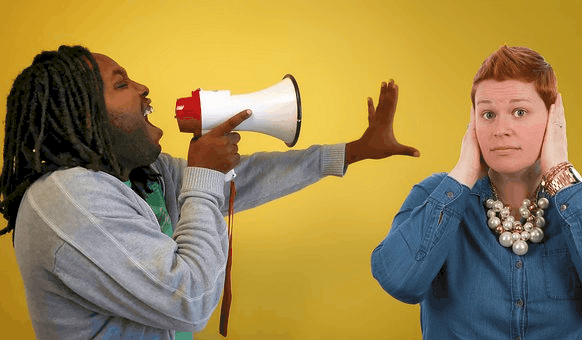
There can be many reasons why your speakers are crackling or popping.
Some reasons can be
- Wrong connections
- Faulty wires
- Faulty speakers
- Placement and arrangement of the speakers and subwoofers
- Problems with amplifier circuitry.
However, the primary cause of speaker crackling is the interrupted flow of current. Alternating current is supposed to flow through your speakers and cause the appropriate speaker parts to vibrate, giving out the sound.
When there’s a disturbance in the flow, the current breaks and restarts abruptly. This is where most crackling sounds come from.

You may experience this from the mixer, amps, microphone, or instruments. If the guitar player has a shaky jack, you will surely have annoying crackles every time they move the instrument around.
Note that crackling sound is not only limited to speakers that you use at concerts. You may also face this problem with your studio monitors and car speakers.
Another reason why you might be experiencing a crackle and pop sound from your speakers is if you don’t keep your gadgets clean. When dirt and dust get into essential parts of your gear, they may interfere with the flow of current, causing the speakers to pop.
Why you should not ignore crackling speakers
Sometimes, we can be tempted to get familiar with speaker crackles and keep using them that way. This is most common when home speakers and car speakers.
Do not ignore crackling sounds.
If your speakers are constantly popping and you ignore them, it will only get worse. Ultimately your speakers will end up damaged.
It is cheaper and safer to find the cause of the crackle and fix it before it causes damage to other parts of the connection.
How to fix popping and crackling speakers?
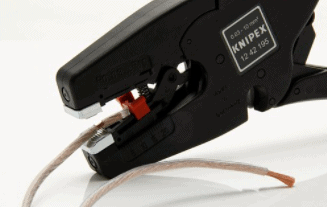
Repair your wires.
Putting into good shape or working order your wires and cables is very important. You can’t underestimate the importance of taking care of your wires and cable, you can’t do without them.
For live sound and home audio connections, you should test the cables one after the other to see which ones cause the crackling sound. For car audio, you may need a technician to do the testing because the wires are hidden.
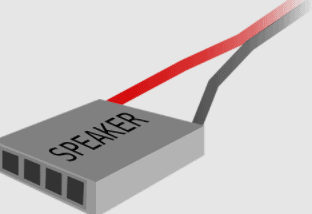
Aside from testing the cables themselves, ensure that the connection ports are well-secured. Avoid connecting naked wires directly to the speaker without a plug.
Also, the cable in your car may be the reason you are having that unwanted sound from your speakers.
I suggest you test the cables and connection first because they are the easiest to replace and fix. After going through the cables, you may also test your console – AV receiver, mixer, amps, or car radio head.
An effective way to test your console is by connecting each port to a speaker, one at a time. If any port is faulty, you will easily identify it.
If the problem persists, try replacing your wires or try to connect a different set of speakers to ascertain where the problem is coming from.
If you try all these and the problems continue, call a technician.
Conclusion
The current interruption of the audio signal from your audio source to your speaker causing crackling and pop sound is often caused by faulty or bad wires and cables.
Most of the time, your speaker is crackling because faulty cables are causing current interruption, which disrupts the audio signal.
Lastly, do not open up any gear or consoles if you are not entirely sure of what you’re doing.
Leave a Reply