
Are you struggling to get the best computer soundbar for your gaming or entertainment setup? Don’t worry – you are on the right blog post. Being in the tech industry for almost a decade, I know how to find the right gadget. Check out this complete informative guide where I will unveil the 10 finest soundbars to take your audio experience to the next level. Let’s get into it!
Quick Answer
Soundbars have only one main purpose – To enhance your audio experience. During my experience with a plethora of soundbars, I have found that they bring value by providing the following things:
- Clear and loud sound;
- Immersive surround sound with their latest technologies;
- Compact design and easy placement;
- And, of course, RGB lighting to add to the overall gaming aesthetics.
However, the problem is how to get a soundbar that not only fulfills the requirements but is also light on the pocket. Continue reading below, as I’ll share 10 great products along with my experience in the form of a buying guide. Moreover, I’ll also share 5 steps to manage a soundbar once you have bought it. Let’s explore below.
Comparison Chart for the 10 Best Soundbars for Gaming and Entertainment
The table listed below highlights all the important details:
[wptb id=542582]Now that we have had a quick look at the products, let’s explore them in detail:
1. Overall Best PC 5.1 Soundbar: Creative Blaster Katana V2X 5.1
Here are the pros and cons of this soundbar:
[amazon box=”B0BBVM8T1K” title= “Creative Blaster Katana V2X 5.1”]
Pros
- It provides Sound Blaster’s processing technologies to customize audio per your preferences.
- There is a Dolby Digital decoding that enhances subtle audio details like enemy footsteps.
- It provides a powerful 5.1 surround sound for an immersive audio experience.
Cons
- Connectivity with MAC having the Mojave version is a bit difficult.[/amazon]
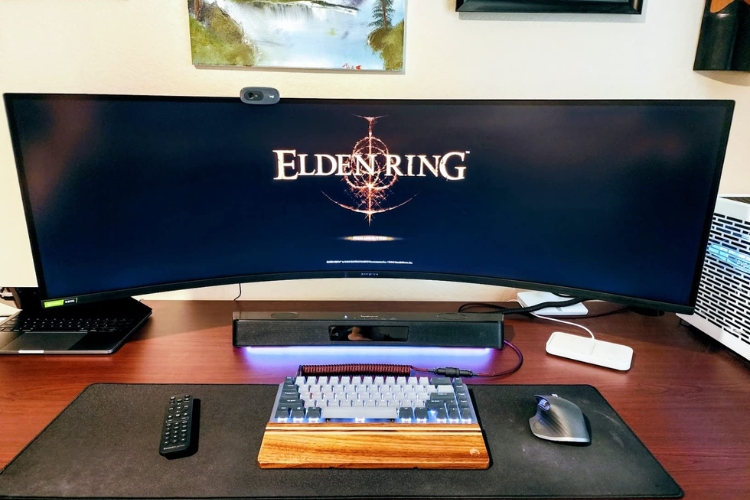
The best PC 5.1 soundbar, Katana V2X 5.1, is the product that provides cinematic audio. I have used this model for almost a year and mark it as my top choice. The reason is simple. It delivers a premium surround sound experience with its Tri-Amplified 5-Driver Design.
Moreover, the 5.1 speaker configuration fills the room with sound from all directions. On top of that, The RGB lighting is a nice bonus to syncing music or games to add flair to your setup. Overall, it achieves its goal of premium and cinematic sound very well.
Features
The main features of the V2X 5.1 are listed below:
- It comes with sound modes like SXFI BATTLE and Scout Mode to enhance your gaming experience.
- You can connect it to the Creative App to remotely control all the audio settings.
- A tri-amp 5-driver design produces one of the finest basses in this range.
Specs
Listed below are the specs of the product:
[wptb id=542583][su_button url=”https://www.amazon.com/dp/B0BBVM8T1K?tag=soundmaximum0b-20&linkCode=ogi&th=1&psc=1″ target=”blank” style=”” size=”10″ center=”yes” icon=”icon: shopping-cart”]Check Latest Price[/su_button]
[su_note note_color=”#9ee7b3″]Recommendations: With its powerful 5.1 surround sound and thumping bass, the Katana V2X is highly recommended for music lovers and hardcore gamers. The immersive spatial audio recreates subtle sounds like enemy footsteps for a competitive edge. However, this unit has connectivity issues with the Mac running Mojave version.[/su_note]
2. Best Soundbar With Crisp Sound: SAMSUNG HW-Q600C
Pros and cons of the item are mentioned below:
[amazon box=”B0BVWLGC9Z” title= “SAMSUNG HW-Q600C”]
Pros
- Dolby Audio in the sound bar provides cinematic sound.
- It provides crisp, clear, and balanced tones among competitors.
- There is a Game Mode Pro tailored to enhance gaming nuances.
Cons
- A little pricier as compared to the competitors.[/amazon]
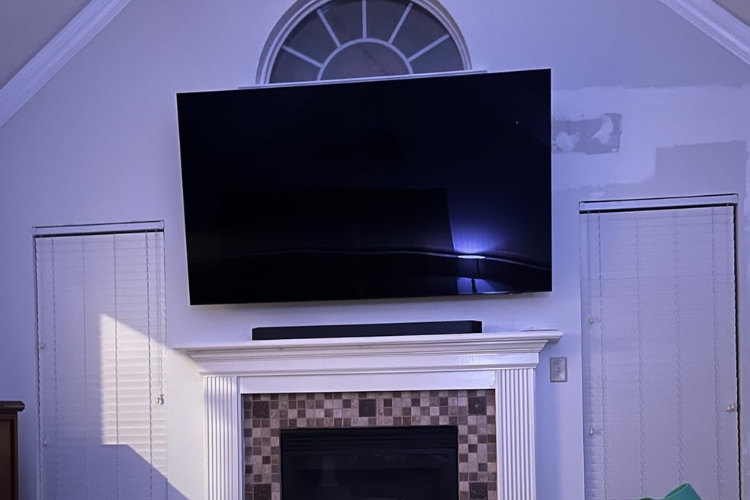
The HW-Q600C soundbar delivers quality surround sound tailored for gaming thanks to features like Dolby Audio processing, Game Mode Pro, and Acoustic Beam technology. But that’s not even the best part. It also has added the perk of Q-Symphony, which allows the soundbar to sync with compatible Samsung TVs for amplified audio.
Lastly, adaptive Sound is another advantage that automatically adjusts the immersive sound based on what you’re playing. Had it not been for the pricing, I would love to rate this product as my top choice.
Features
The features of the Q600C are mentioned below:
- It has a 3.1.2 channel surround sound from built-in speakers and a wireless dedicated subwoofer.
- There is a HDMI eARC that provides an advanced audio experience.
- Tap Sound is an innovative feature that allows you to play with just a mobile device by tapping on the bar.
Specs
These are the specs of the soundbar:
[wptb id=542584][su_button url=”https://www.amazon.com/dp/B0BVWLGC9Z?tag=soundmaximum0b-20&linkCode=ogi&th=1&psc=1″ target=”blank” style=”” size=”10″ center=”yes” icon=”icon: shopping-cart”]Check Latest Price[/su_button]
[su_note note_color=”#9ee7b3″]Recommendations: The Samsung soundbar is recommended to gamers who don’t have budget restraints. Features like Dolby Atmos support, Game Mode Pro, and Acoustic Beam give a powerful sound experience. However, keep in mind that its deep base and premium price tag may not be a fit for you.[/su_note]
3. Best Soundbar with Mic: Hi-Fi Sound Quality SK100 Sound Bar
The following are the pros and cons of the product:
[amazon box=”B0C5DJM212” title= “Hi-Fi Sound Quality SK100 Sound Bar”]
Pros
- It offers a USB plug-and-play feature for easy playing.
- The bar delivers a louder and clearer sound.
- It is lightweight and has a rubber foot for easy placing on smooth places.
Cons
- The RGB lights keep running despite turning off – requiring you to remove the USB plug.[/amazon]
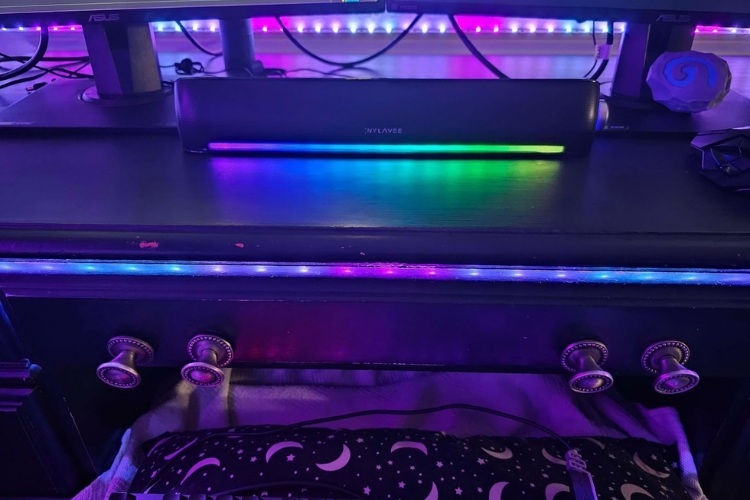
Naylavee computer speakers are famous for their enhanced audio speakers, and the Hi-Fi sound bar continues their legacy. This sound bar comes with dual connectivity in the form of a USB connection as well as Bluetooth 5.0.
Moreover, it delivers quite a clear and louder sound, coupled with 2 bass diaphragms and 2 stereo speakers. On top of that, the bar also comes with a microphone that supports wireless calling. As per my testing, this one is an excellent soundbar with affordability.
Features
The following are the features of SK100:
- The bar has 2 double-layer stereo speakers and 2 microfiber bass diaphragms.
- A side knob is present for controlling the volume.
- It comes with a universal 3.5 mm headphone jack that is compatible with a range of devices.
Specs
The specifications of the Hi-Fi sound bar are listed below:
[wptb id=542585][su_button url=”https://www.amazon.com/dp/B0C5DJM212?tag=soundmaximum0b-20&linkCode=ogi&th=1&psc=1″ target=”blank” style=”” size=”10″ center=”yes” icon=”icon: shopping-cart”]Check Latest Price[/su_button]
[su_note note_color=”#9ee7b3″]Recommendations: I recommend a Hi-Fi Sound Bar for people looking for a budget product. This item checks all the marks with its sound quality and connectivity. Although its short 2.5 feet long wire could be problematic for some people.[/su_note]
4. Best Budget Soundbar for a Computer: Jeecoo A30 SoundBar
Here are the pros and cons of the soundbar:
[amazon box=”B0CBMCNC4B” title= “Jeecoo A30 SoundBar”]
Pros
- It has good sound quality, coupled with clear highs and decent bass.
- The sound bar is loud enough to fill a small room.
- There is a built-in volume control dial on the front to tweak the volume conveniently.
Cons
- It lacks Bluetooth connectivity, which limits wireless use.[/amazon]
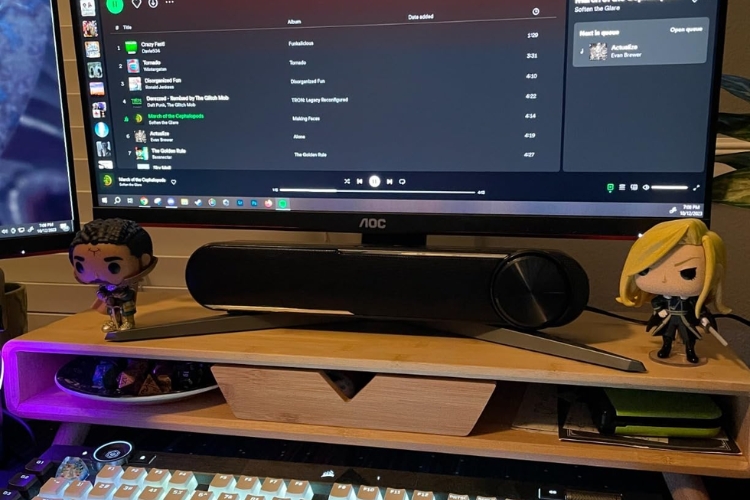
The Jeecoo A30 sound bar for computers aims to deliver solid sound in a compact and affordable package. In my testing, its speakers certainly live up to the demand for loud, clear audio for gaming. The sound is well-balanced, with a slight emphasis on the higher frequencies.
The plug-and-play connectivity via a 3.5mm jack enhances the compatibility. On top of that, the built-in volume dial also makes it easy to adjust audio levels on the fly.
Features
The following are the features of the Jeecoo A30:
- The speakers of the sound bar feature 2 driver units of 5W to deliver clear audio.
- Thanks to a low impedance of 4 ohms, it only takes 5 volts of power via a USB cable to operate.
- The sound bar can operate at high frequencies of 18 KHz to ensure enough details in the sound.
Specs
The specs of the product are given below:
[wptb id=542586][su_button url=”https://www.amazon.com/dp/B0CBMCNC4B?tag=soundmaximum0b-20&linkCode=ogi&th=1&psc=1″ target=”blank” style=”” size=”10″ center=”yes” icon=”icon: shopping-cart”]Check Latest Price[/su_button]
[su_note note_color=”#9ee7b3″]Recommendations: Looking at the pricing and specs of the Jeecoo A30, I can recommend it to casual media consumers or gamers who want clear audio at an affordable cost. However, the lack of Bluetooth connectivity and RGB lighting may disappoint you.[/su_note]
5. Best Soundbar with EQ: Yamaha Audio SR-C30A
Below are the pros and cons of the soundbar:
[amazon box=”B0BBSBJV9W” title= “Yamaha Audio SR-C30A”]
Pros
- It delivers crisp and clear audio with powerful bass.
- A compact dedicated subwoofer provides additional clarity to the audio.
- There is a gaming mode to fine-tune the near-field listening experience.
Cons
- Sometimes, the subwoofer and soundbar struggle with pairing.[/amazon]
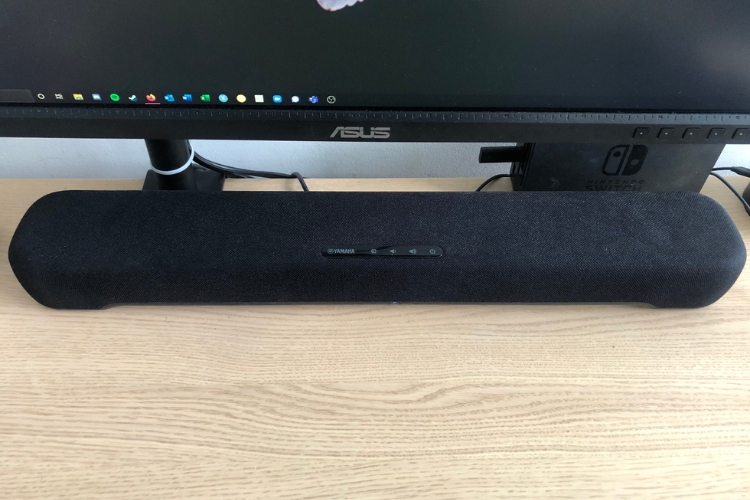
As a gamer or media enthusiast, you need good sound quality without sacrificing space. The SR-C30A hits this sweet spot with its compact, flat design and included wireless subwoofer.
On top of that, adaptive low volume is excellent for late-night gaming, and the EQ presets let you optimize audio for different games. For the price, the SR-C30A delivers very good immersive sound and you can’t go wrong with this purchase.
Features
The following section highlights the features of SR-C30A:
- The EQ of the bar presets 4 playing modes: Stereo, Standard Sound, 3D movie, and Game modes.
- There is an Adaptive Low Volume that enhances vocals even at low frequencies.
- The company offers a Sound Bar App and a remote control to adjust settings from a distance.
Specs
The salient specifications of the product are mentioned below:
[wptb id=542587][su_button url=”https://www.amazon.com/dp/B0BBSBJV9W?tag=soundmaximum0b-20&linkCode=ogi&th=1&psc=1″ target=”blank” style=”” size=”10″ center=”yes” icon=”icon: shopping-cart”]Check Latest Price[/su_button]
[su_note note_color=”#9ee7b3″]Recommendations: For a compact soundbar that enhances your TV or computer’s audio, the Yamaha SR-C30A hits the mark. With the features of rich bass, a detailed sound, and Adaptive volume, it makes a decent choice for gamers and media consumers. My only gripe is the connectivity between the subwoofer and soundbar could be smoother.[/su_note]
6. Best Affordable Soundbar With Lighting: Dynamic L16 RGB
The good and bad about this product are mentioned below:
[amazon box=”B0B6HDVH9B” title= “Dynamic L16 RGB”]
Pros
- It offers the latest 5.3 Bluetooth connectivity for wireless, solid audio streaming.
- 6 modes of dynamic RGB lighting add a colorful, stylish look to your studio.
- The volume can be controlled with the help of a top knob that is also touch-responsive.
Cons
- The sound volume could be improved.[/amazon]
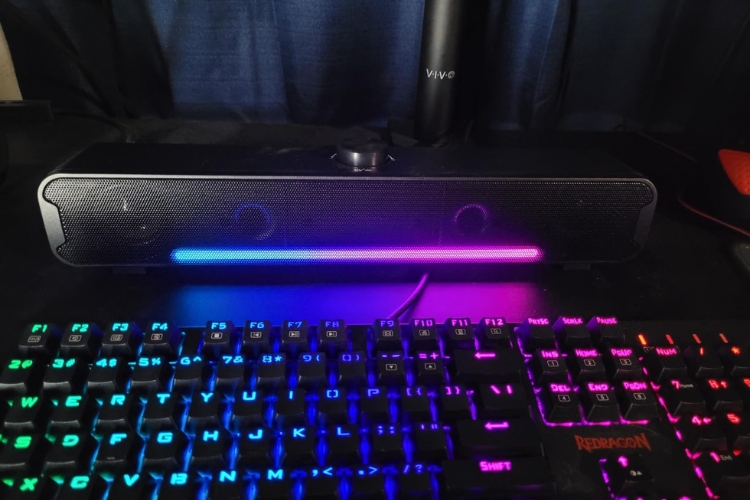
As a gamer on a budget, you would love what this compact RGB soundbar delivers for the price. The 16W stereo speakers pump out clear audio with solid bass. The latest 5.3 Bluetooth connectivity means easy wireless pairing with your laptop.
The RGB lighting is the feature of the soundbar that I appreciate the most, as it syncs with on-screen action, immersing me in the game or music. Keeping in mind the price point, this product really hits the spot.
Features
Some of the characteristic features of the L16 RGB are the following:
- It comes with 360 dual HiFi Stereo speakers to enhance the mids and lows in the sound.
- There is a plug-and-play feature to connect the device to the TV or computer quickly.
- The soundbar only requires 16-watt power, which you can provide via a USB-C.
Specs
The specifications of the product are mentioned below:
[wptb id=542588][su_button url=”https://www.amazon.com/dp/B0B6HDVH9B?tag=soundmaximum0b-20&linkCode=ogi&th=1&psc=1″ target=”blank” style=”” size=”10″ center=”yes” icon=”icon: shopping-cart”]Check Latest Price[/su_button]
[su_note note_color=”#9ee7b3″]Recommendations: This RGB soundbar is a solid buy for music lovers and gamers seeking affordable audio and lighting upgrades. The 16W stereo speakers provide clear sound for immersive gameplay. Syncing RGB lights to on-screen action is a nice touch. Just be aware of potential Bluetooth glitches and a lack of loud volume.[/su_note]
7. Best Soundbar for Gaming Desk : Nylavee SK001 Soundbar
Enlisted below are the pros and cons of the product:
[amazon box=”B0BZCMM17X” title= “Nylavee SK001 Soundbar”]
Pros
- The soundbar projects audio at an angle of 30 that can easily fill a small room.
- Its pill-shaped minimal design makes it useful for traveling.
- The soundbar has unmatchable ease of use with 3 simple buttons.
Cons
- The sound lacks bass and sharpness, which are required for the gaming experience.[/amazon]
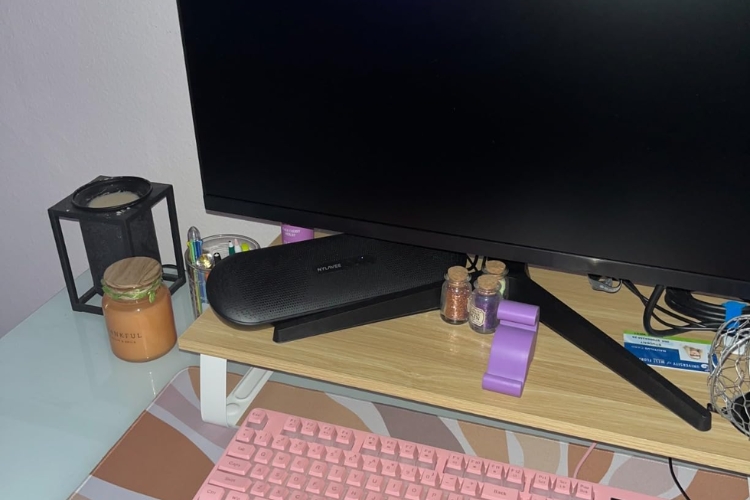
The Nylavee soundbar is your affordable ticket to amplify your computer’s sound at a reasonable price. Its slim yet powerful 2 speaker setup brings richer audio to movies, music, and games.
The plug-and-play USB power and universal device compatibility make this budget bar a simple path to better computer sound. Moreover, the company has backed the product for more than a year. So, you can use this soundbar with peace of mind.
Features
Below are the features of the SK001:
- It provides an Active Crossover signal processor that highlights the lows of the sound.
- It comes with dual-sized powerful speakers that provide loud audio.
- The device comes with 18 months of warranty to provide value for money.
Specs
The following are the specs of the item:
[wptb id=542589][su_button url=”https://www.amazon.com/dp/B0BZCMM17X?tag=soundmaximum0b-20&linkCode=ogi&th=1&psc=1″ target=”blank” style=”” size=”10″ center=”yes” icon=”icon: shopping-cart”]Check Latest Price[/su_button]
[su_note note_color=”#9ee7b3″]Recommendations: The Nylavee soundbar pumps solid audio for gamers at a wallet-friendly price. I regard it the best soundbar for a gaming desk because of its compactness and compatibility with laptops/and consoles. Just keep in mind that it lacks heavier bass and EQ customization like Sonos Beam Gen 2.[/su_note]
8. Best Soundbar For PC with Soundscape: Bluedee SK020
The following are the perks and downsides of this soundbar:
[amazon box=”B0C2YYJPM1” title= ” Bluedee SK020″]
Pros
- It offers an expansive soundscape that combines stereo sounds to give an immersive experience.
- It comes with a rechargeable battery that gives 3 hours of backup on continuous use.
- 2 bass radiator units reproduce the cinematic bass for gamers.
Cons
- The volume lacks loudness and deep punches.[/amazon]
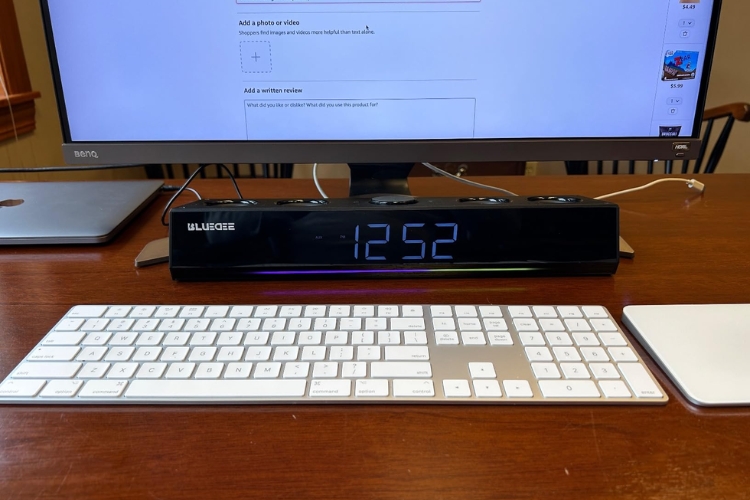
The Bluedee SK020 computer soundbar delivers solid stereo sound in a slim, understated design that is perfect for desktop use. With the help of dual speaker drivers, it provides clearer audio for music, movies, and gaming. Convenient touch controls, multiple device connectivity options, and plug-and-play USB power make it easy to set up and start listening.
Features
The following are the features of SK020:
- The device has 2 HD units and 2 Tweeters for great sound quality.
- It can tolerate up to 18 watts of power to convert electrical signals to audio signals.
- A multi-mode button on the front adjusts the playing record and volume.
Specs
The specifications of the soundbar are mentioned here:
[wptb id=542590][su_button url=”https://www.amazon.com/dp/B0C2YYJPM1?tag=soundmaximum0b-20&linkCode=ogi&th=1&psc=1″ target=”blank” style=”” size=”10″ center=”yes” icon=”icon: shopping-cart”]Check Latest Price[/su_button]
[su_note note_color=”#9ee7b3″]Recommendations: For those seeking a compact audio solution for their computer, the SK020 soundbar is an excellent choice. It has stereo sound, handy touch controls, and universal device compatibility. Nonetheless, the sound lacks the characteristic punch of gamer soundbars.[/su_note]
9. Best Soundbar for Beginners: BESTISAN Sound Bar SE05
These are the pros and cons of the product:
[amazon box=”B0C14B4H6Y” title= “BESTISAN Sound Bar SE05”]
Pros
- It features a bass tube to deliver accurate sounds and remove noises.
- It is easy to install and set up due to its compact design.
- It is an inexpensive option for gamers who are just starting.
Cons
- Some Bluetooth connectivity issues were reported with the bar when the sound was paused.[/amazon]
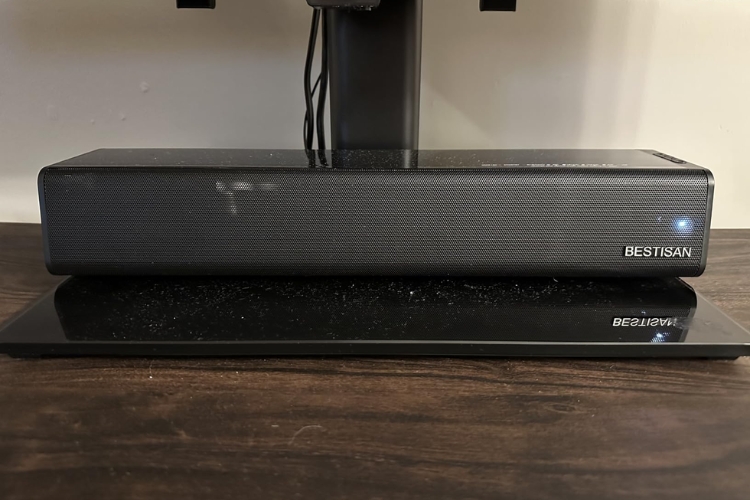
The BESTISAN SE05 soundbar delivers solid audio performance for beginners. The compact design features bass tubes for accurate sound and easy setup. With 50W speakers, 3 EQ modes, and a bass/treble control remote, it provides good customization despite limited connectivity. Overall, it is a great choice for basic soundbar upgrades.
Features
Here are the features of the SE05:
- 2 50-watt powerful speakers that produce multi-dimensional solid sound.
- It features 3 equalizer modes to fine-tune your audio as per your experience.
- It has a remote control to adjust music and bass/treble.
Specs
These are the specifications of the soundbar:
[wptb id=542591][su_button url=”https://www.amazon.com/dp/B0C14B4H6Y?tag=soundmaximum0b-20&linkCode=ogi&th=1&psc=1″ target=”blank” style=”” size=”10″ center=”yes” icon=”icon: shopping-cart”]Check Latest Price[/su_button]
[su_note note_color=”#9ee7b3″]Recommendations: For shoppers seeking a starter soundbar on a budget, the BESTISAN SE05 is a great option. It produces robust sound in a compact, easy-to-install unit. Similarly, the remote bass/treble controls and EQ modes are also plus points. However, Bluetooth connectivity can be improved.[/su_note]
10. Best Soundbar with Bass: Bluetooth Soundbar BD-SK010
The following are the advantages and disadvantages of the soundbar:[amazon box=”B08TWQ2ZFX” title= “Bluetooth Soundbar BD-SK010”]
Pros
- The soundbar offers solid and well-made speakers with modern design.
- It gives a decent sound with high-pitch and deep bass.
- There is a headphone jack that enriches your headphones with strong audio.
Cons
- The Bluetooth pairing and lightning controls could be improved.[/amazon]
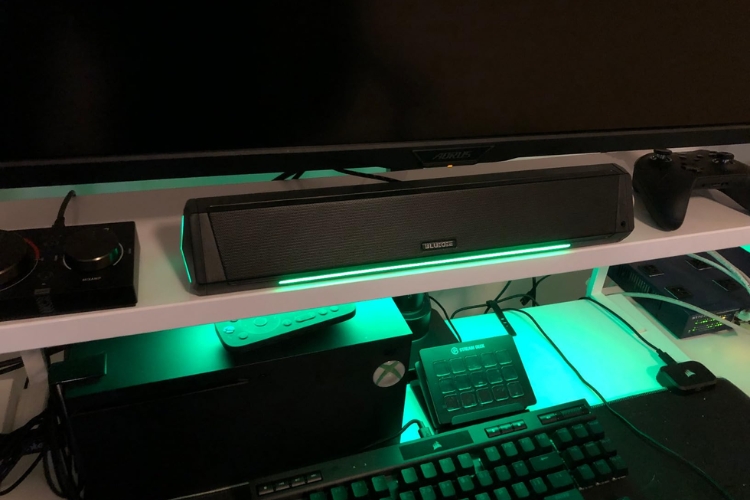
The BD-SK010 Soundar is a nice audio upgrade for gamers and media consumers. The slim profile fits neatly on desks while the dual drivers deliver immersive stereo sound, making gameplay more engaging. Further, wireless Bluetooth pairing and direct plug-and-play connectivity provide a hassle-free way to step up your audio experience.
Features
The features of the product are listed below:
- There is a nice analog dial on the sound to control the volume.
- It uses anti-magnetic technology to suppress static noises in the gaming audio.
- The soundbar possesses 2 speakers and 2 diaphragms to produce strong sound.
Specs
Let’s have a look at the specs of the item:
[wptb id=542592][su_button url=”https://www.amazon.com/dp/B08TWQ2ZFX?tag=soundmaximum0b-20&linkCode=ogi&th=1&psc=1″ target=”blank” style=”” size=”10″ center=”yes” icon=”icon: shopping-cart”]Check Latest Price[/su_button]
[su_note note_color=”#9ee7b3″]Recommendations: For computer users seeking improved audio immersion, the BD-SK010 Bluetooth gaming soundbar hits the mark. Its compact size saves desk space, while the stereo drivers and deeper bass enhance game sound effects. Remember that The LED lights will not go off even if you put them on sleep mode unless you completely turn off the soundbar.[/su_note]
Top 5 Advantages of a Computer Soundbar
As a full-time gamer and media enthusiast, I can understand how critical quality audio is to an immersive experience. The sounds of the game world draw you in, while precise positional audio allows you to pinpoint allies and enemies to gain a tactical edge. Also, the deep base in music or audio clarity in media files equally shares the importance.
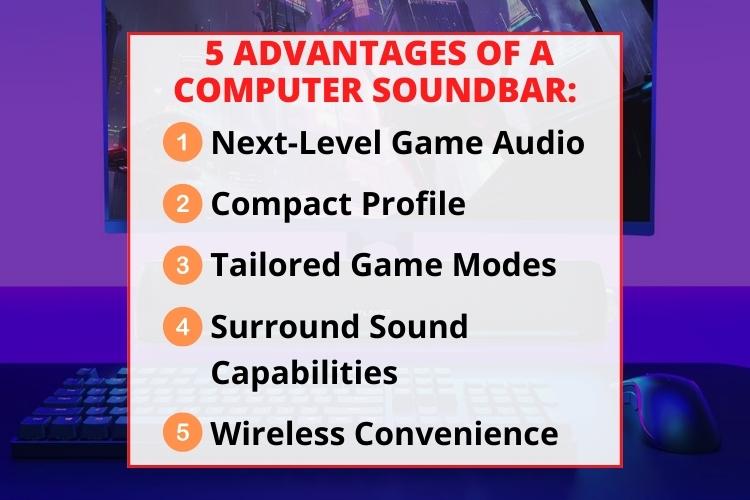
Unfortunately, the weak built-in speakers of most monitors just can’t provide the robust, nuanced sound that advanced audio experience demands. That’s where the addition of a soundbar comes in. Here are some of the most significant benefits of using a soundbar:
1. Next-Level Game Audio
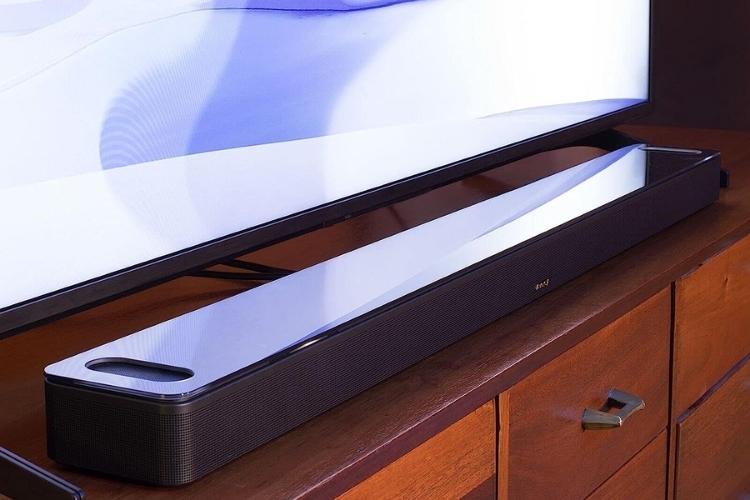
Since these soundbars have dedicated speakers and subwoofers, they provide explosive, crystal-clear sound effects. In fact, some products like the Bose Smart Soundbar 900 also have amplified drivers that ensure an immersive atmosphere.
2. Compact Profile
This is probably the second most important benefit, if not the first. Gaming soundbars should fit conveniently on your desk without requiring much space, like a chunky 7.1 surround sound system. Moreover, the room should be free of clutter and wires. This slim, minimalist design can significantly impact the overall gaming performance.
3. Tailored Game Modes
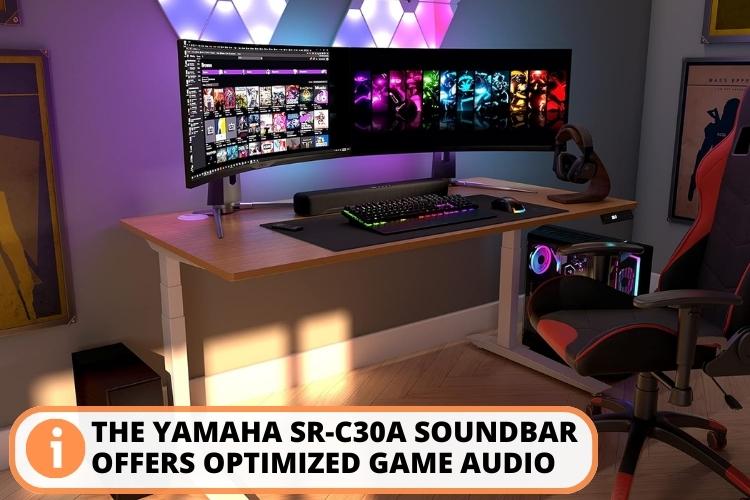
Advanced soundbars have dedicated game modes that optimize audio settings for competitive advantage. These let you clearly hear every subtle audio cue and immerse yourself fully – like Yamaha Audio SR-C30A.
4. Surround Sound Capabilities
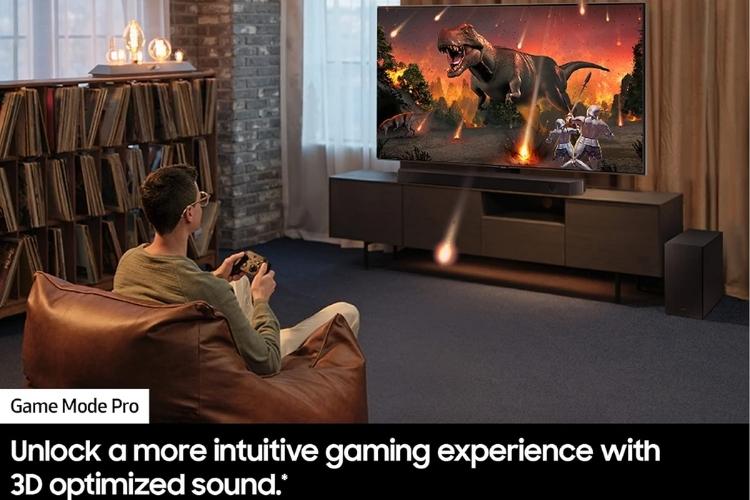
A surround sound creates an environment like you are in the middle of the action. With the help of multiple drivers, they project sounds in different directions, making a 3D sound. Moreover, many bars, like SAMSUNG HW-Q600C, have virtual sound technologies like Dolby Atmos that create 360-degree audio landscapes.
5. Wireless Convenience
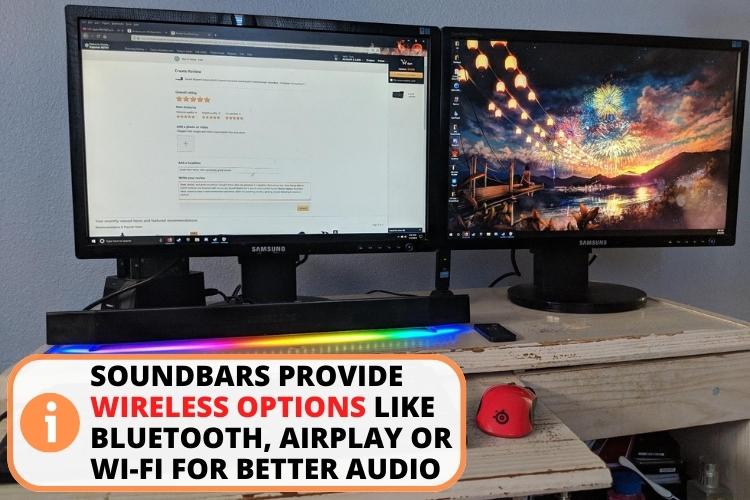
Wireless connectivities are additional perks of the soundbar that can enhance the audio experience to the next level. Connectivities like Apple Airplay, Bluetooth, or Wi-Fi are examples of wireless connections.
Important Considerations Before Buying a Computer Soundbar
No doubt, a computer soundbar can enhance your audio experience by miles. They come equipped with plenty of features. However, which feature should you pick as per your needs? Don’t worry – I’ll share my experience in the form of 4 tips that will help you make a refined experience. Let’s have a look:
- Sound experience: Get a bar with surround sound, Dolby Atmos, and audio performance tailored for gamers and media consumers.
- Gaming features: Look for dedicated gaming modes to optimize EQ and settings and reduce latency.
- Compatibility: Go for a sound bar that can connect with multiple devices such as laptops, chromebooks, or even tablets and smartphones. Moreover, various options like Bluetooth, HDMI, Apply Airplay, or a 3.5mm headphone jack can prove handy for hardcore gamers.
- Budget: Pricing can affect your buying decision a lot. If you are a hardcore gamer, get a refined soundbar with a price higher than $300, like JBL Bar 9.1. For casual gamers, a bar under $100 can work fine.
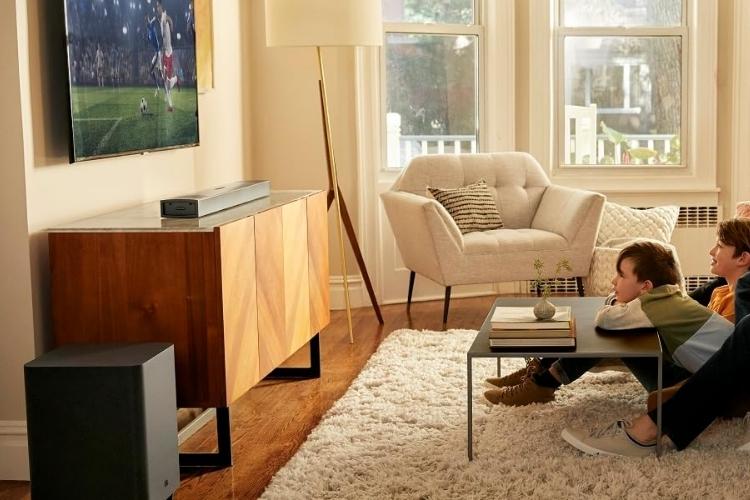
6 Handy Tips to Enhance Your Computer Soundbar Experience
Getting the most out of your soundbar’s audio capabilities takes some personalization. Once you have calibrated your soundbar as per your likeness, you will get the beat out of it that no other can achieve. Have a look at 4 of my top personal tweaks that I use to optimize the potential of my V2X 5.1:
- Play with the EQ: Most soundbars allow boosting treble, mids, and bass to find your perfect balance of game audio. I keep my bass around -20 and treble at medium pitch.
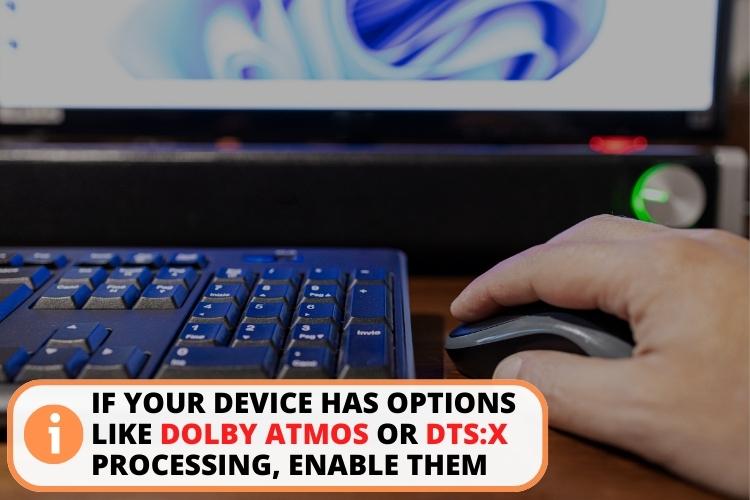
- Activate surround sound: If your device has options like Dolby Atmos or DTS:X processing, enable them to get the 3D sound experience.
- Create customized modes: Some soundbars let you craft and save custom EQ settings tuned for specific games. For example, I have set high pitch mode for COD and medium treble for Fortnite.
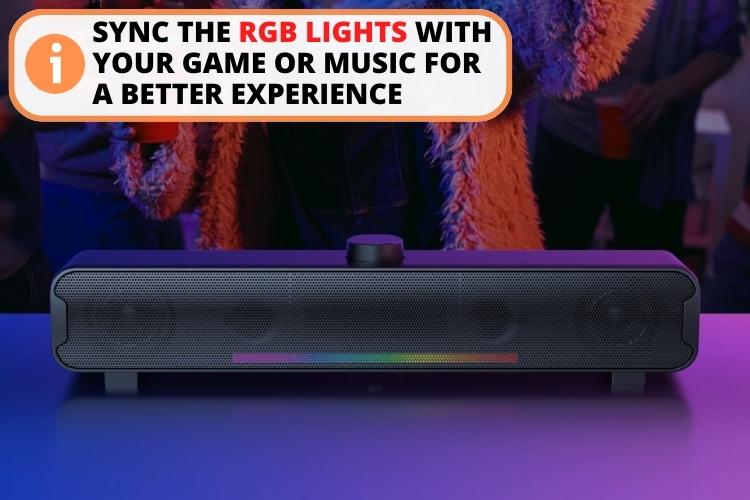
- Change the color of RGB lights: The RGB lighting is there to enhance your media experience, not to distract you. Turn them off or sync them with your game or music to reap the full benefits of your gaming session.
- Upgrade audio sources: Using high-res lossless music files or 4K Blu-rays takes advantage of your soundbar’s capabilities.
- Add a subwoofer: A dedicated subwoofer amplifies bass and LFE for thundering, seat-rumbling impact.
An Insight Into Maintaining and Upgrading
Like any piece of tech, soundbars also benefit from occasional maintenance and keeping up with improvements. In fact, regular maintenance can improve the audio quality marginally. Let’s go over some easy ways to maximize performance and lifespan:
- Keep it dusted: Regularly dust the soundbar and ports to prevent dust buildup that can affect audio.
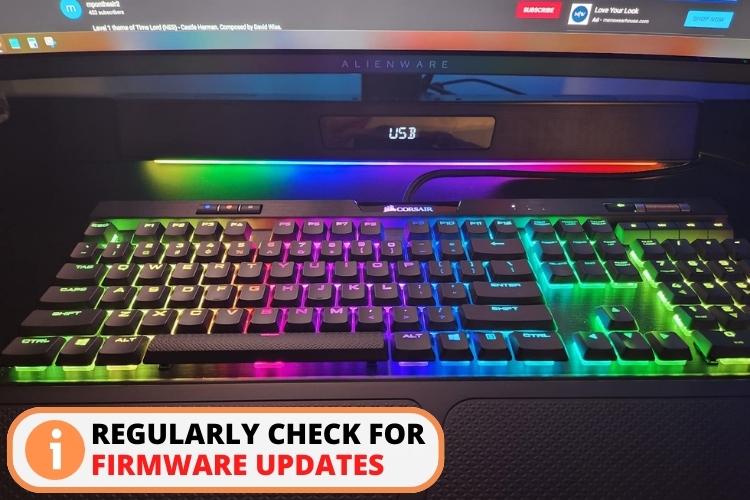
- Check for firmware updates: Manufacturers periodically release updates that can optimize performance, fix bugs, and add features.
- Avoid Liquid Contact: Protect your soundbar from spills or liquid exposure to prevent damage.
- Keep Tab On Remote and Batteries: If your soundbar comes with a remote control, keep checking on its batteries and replace them when needed. I would also advise you not to let your batteries sit in your device when you are not using it as it can corrode or leak and can cause damage.
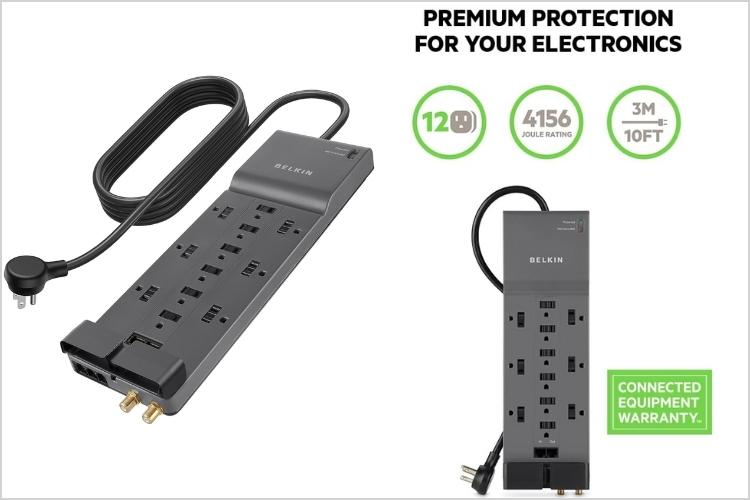
- Use a surge protector: Connect your soundbar to a surge protector like Belkin Power Strip Surge Protector to safeguard against power spikes and electrical damage.
Optimization of the Best Audio Quality of Soundbar as Per Your Environment
When it comes to using the soundbar, surroundings also matter. You can’t just put a small soundbar, like Nylavee SK001, in a hall and expect it to fire away top-notch sounds. Right? You have to use the model in a suitable room. Similarly, the gaming device also matters.
Below are some tricks to maximize your soundbar experience, depending on the environment.
- Understand the acoustics of your workspace and adjust the volume accordingly. Avoid noisy places.
- Keep a moderate volume level to avoid fatigue or headaches during long gaming sessions.
- Position the soundbar centrally below your monitor for uniform audio dispersion during online meetings and presentations.
- For streamers, use an external microphone rather than using built-in computer mics to get a better sound.
For more insights, check out this helpful video.
FAQs
The best soundbar for laptop is Creative Sound Blaster Katana V2X 5.1. It comes with Dolby Digital audio support to enhance your listening experience and a 5.1 surround sound to provide an immersive experience.
Creative Stage V2 is the most affordable soundbar for PCs. It comes in the price bracket of $90-$110 and offers features like wireless connectivity via Bluetooth, strong bass, and Sound Blaster’s audio filters.
Wattage is essential because soundbars with high wattage can produce louder sounds. Mostly, soundbars with 40W – 400W are considered good. However, lower wattage options can still provide solid audio if you don’t need maximum volume.
Yes, a computer soundbar is excellent for boosting audio quality on conference calls, video meetings, or presentations with its clear sound compared to laptop speakers.
Yes, soundbars are suitable for computer audio due to their powerful speakers and compact designs. They also provide additional perks like sound Surround Sound, Dolby Atmos, or multiple connectivity options.
Recommended read:
6 Best Surround Sound Soundbars for Gaming in [year]
10+ Best Soundbar Brands Loved by Audiophiles
Top 6 Soundbars With Multiple HDMI Inputs for Multi Connectivity
7 Best Soundbars for Dialogue With Crisp Clear Audio
Conclusion
The final say is that the best computer soundbar can make or break your audio experience based on your choice. If I have to buy a new product now, I’ll check factors like sound technologies, compactness, and connectivities to ensure you get the most out of your product.
Moreover, to filter among top products, ensure you buy a model that aligns with your needs and budget. Nonetheless, I put my trust in Creative Sound Blaster Katana V2X 5.1 because of its advanced Surround Sound, gaming modes, plenty of connectivity options, and compactness.
[amazon box=”B0BBVM8T1K” title=”Creative Sound Blaster Katana V2X 5.1″] A top choice for gamers, it features a tri-amp 5-driver design to boost the audio. Moreover, it also has sound modes like SXFI BATTLE or Scout modes that track enemies’ voices. Lastly, the device also has multiple connectivity options like Bluetooth, HDMI, headphone jack, or USB sound output. [/amazon]
Leave a Reply